User API Key
Generate secure API keys to authenticate your requests to the G17Eco API.
This feature is currently in Early Access Program (EAP).
Generate New Key
- Go to Settings by clicking Profile Icon -> View Profile -> My Settings
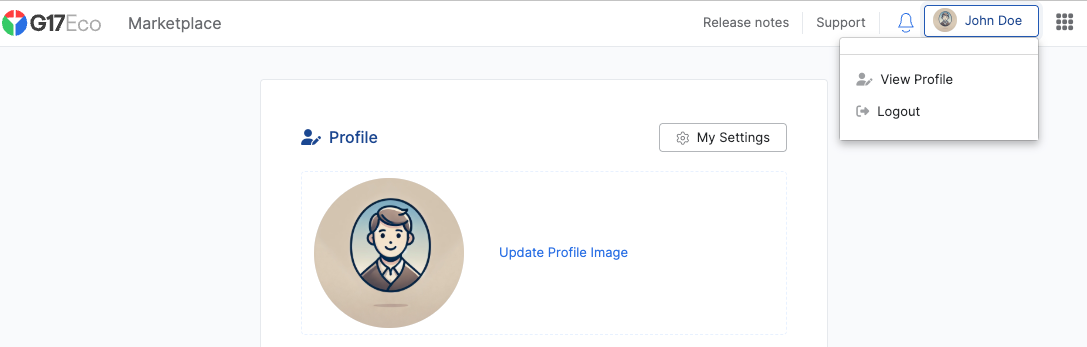
- Navigate to the “API Keys” section
If the API Keys section is not visible, contact support for EAP access.
Secure Your API Key
Upon generation, copy and store your API key in a secure location immediately. For security reasons:
- The complete API key will be displayed only once
- After leaving or refreshing the page, the key cannot be retrieved
- If you lose access to your key, you’ll need to generate a new one
Each user account is limited to 5 active API keys.
Keep your keys safe
API keys are sensitive secrets that should be kepts safe and never shared. Keep your keys safe by following these best practices:
- Grant access only to those who need it.
- Don’t store keys in a version control system.
- Control access to keys with a password manager or secrets management service.
- Don’t embed a key where it could be exposed to an attacker, such as in a mobile application.
Usage
Use API keys to authenticate API requests.
G17Eco authenticates your API requests using your user API keys. If a request does not include a valid key, G17Eco returns an invalid request error.
You can authenticate your request by sending a token in the Authorization header of your request. In the following
example, replace YOUR-API-KEY with a reference to your token:
curl --request GET \
--url "https://api-singapore.g17.eco/v1/" \
--header "Authorization: Bearer YOUR-API-KEY"
{
"success": true,
"data": {
"user": {
"_id": "615dd5c551a6965f9408bfff",
"firstName": "User A",
"surname": "User A Surname",
"active": true
},
"connection": {
"scopes": [],
"roles": ["data_entry"],
"initiativeId": "6711c1f63a35b273a7998854",
"apiKeyId": "67b417230660c52a5c17a1b6",
"shortToken": "pa6DtsSXv5"
},
"type": "api_key"
}
}